Goods on the shelf and goods in the system must match

Corner shops, kiosks, stalls, takeaway windows. Selvora keeps stock for every item, shows the markup and warns what's running out — before the shelf is empty.

14 days free, no card · then one price per location — everything included

Try it on my shop Show what's left of revenue ↓

Corner shops · kiosks · stalls · takeaway windows

08:40

The seller opens the shift with four digits

No logins or passwords behind the counter. PIN sign-in, the float is entered — the shift is open. Everyone has their own rights: one can sell, discounts and refunds only with permission.

POS · sales screen
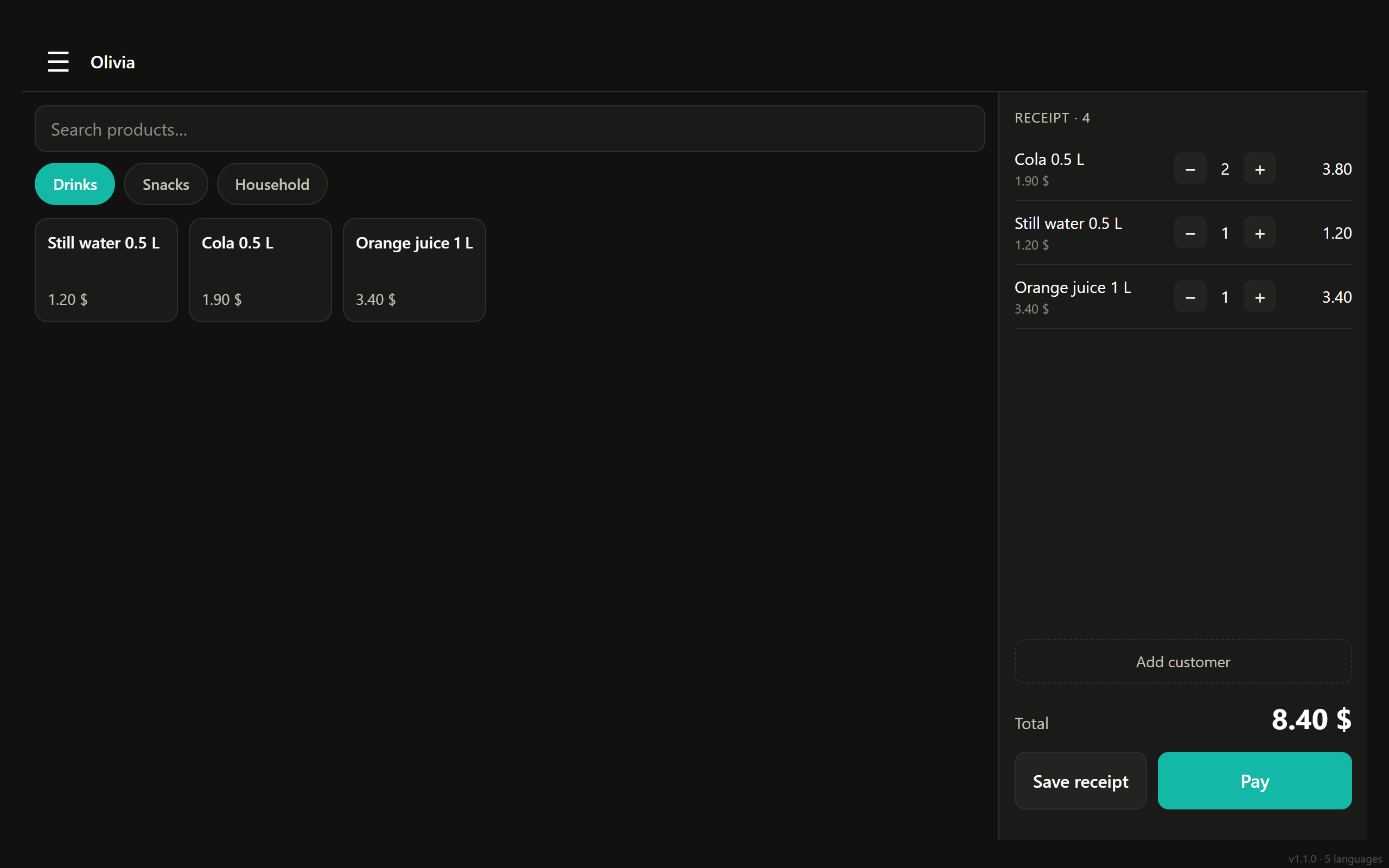
Shop sales screen: product categories and receipt
09:15

Goods arrived. Received in packs

The supplier brought boxes — that's how we enter them: 12 pieces for 540. The price per piece is calculated automatically, and if the batch came in pricier than the last one, the system averages it with the remaining stock by weight. No need to recalculate markup by hand.

Back office · products and categories
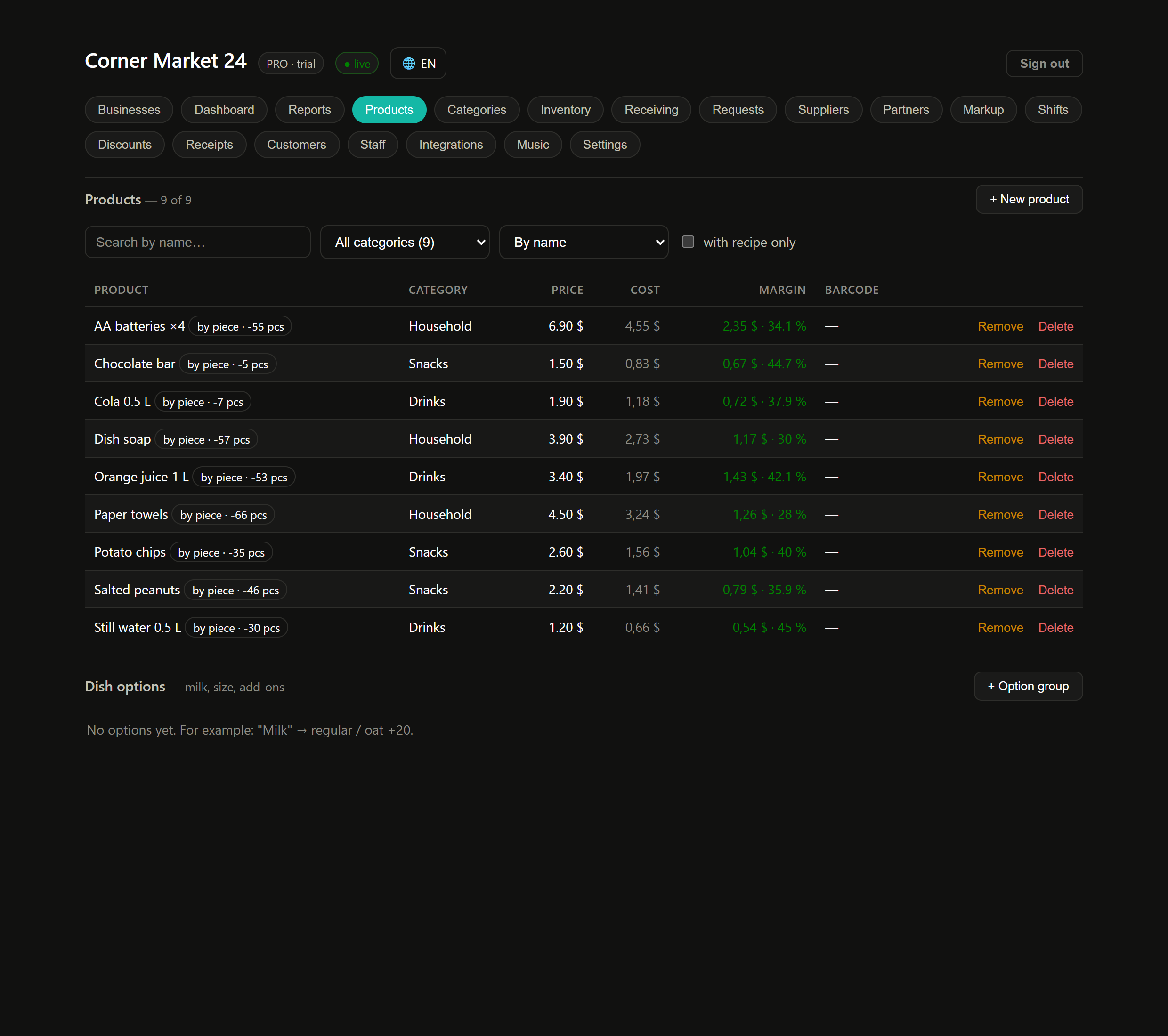
Shop products by category with price and markup
11:30

Sold. The item left the shelf and the system

A receipt is rung up — stock drops at that moment, not at the end of the month from a notebook. That's why the number in the system always matches the shelf, and stocktaking stops being detective work.

14:05

The internet is down. The queue isn't

The POS keeps selling offline: receipts pile up on the device and go to the server when the connection returns. No duplicates — every receipt has its own number from the device. Revenue doesn't stop because of your provider.

17:20

The system highlighted what's running out

Items have a minimum stock level. As soon as stock falls below it, the item lands on the "running out" list before it's gone. You get to reorder in time, instead of a customer leaving without the product.

21:00

Shift closed. Here's what's left of revenue

The seller counted the drawer, the system compared it with the expected amount. The owner gets not revenue but profit — and sees which items delivered it.

SELVORA
SAMPLE SHIFT
Revenue9 480
COST OF GOODS SOLD
Drinks markup 38%−1 240
Snacks markup 45%−890
Household markup 22%−1 410
other 25–60%−520
PROFIT5 420
Low-markup items are visible at once — they decide what to reorder next.
In the morning

You open the back office and see earnings, not revenue

Not "we sold this much", but how much of every dollar stayed with you and which items drag you down. The system also honestly shows where data can't be trusted — for example, if a product has no purchase price.

Back office · shop dashboard
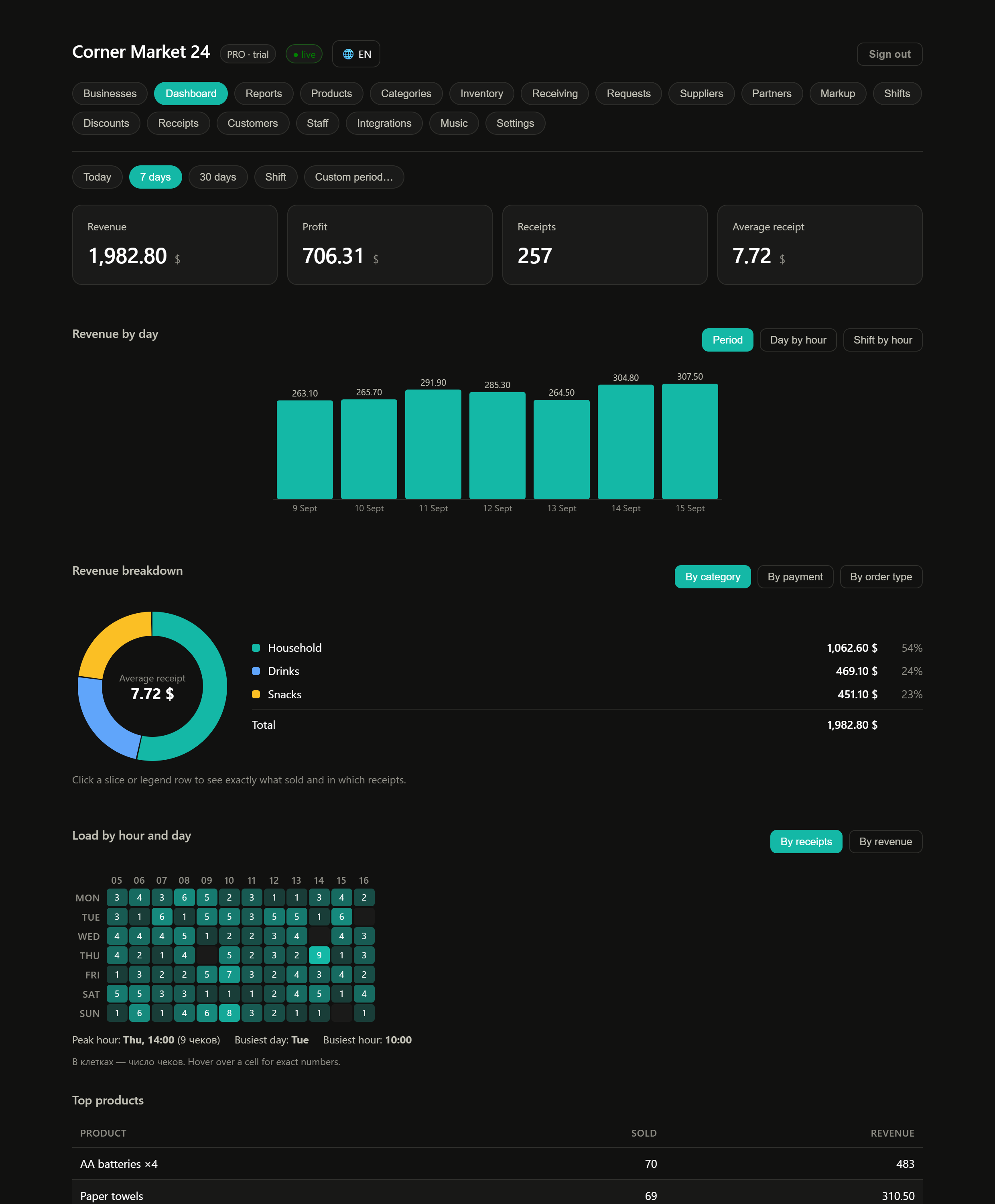
Shop dashboard: revenue, profit, revenue breakdown and top products
And beyond

Turnover across all locations — from your phone

Revenue, profit, average receipt, stock and buyers. No need to drive to the shop to see how the day went.

You're in a different field

A different day — the same principle

One core, the screens and numbers change. Open your page — everything there uses your examples.

Apps

A tablet at the counter, a computer in the office, a phone in your pocket

Updates arrive on their own — nothing to reinstall.

Selvora POS

Cashier terminal: sales, receipts, shifts, offline mode. For an Android tablet at the counter.

Download APK · v1.1.0

Selvora for PC

POS and back office in one window on Windows. Installer with a desktop shortcut.

For Windows · v1.2.0

Selvora Business

Owner dashboard. Installs from the browser on any device, including iPhone.

The POS is an Android app: when installing, allow installation from this source. There is no separate POS app for iPhone and iPad yet.

Fiscal receipts and integrations

Fits into what you already have

Selvora is inventory, POS and analytics. We don't replace your fiscal system or your bank — we work alongside them.

Fiscal receipt — under your country's law

The receipt is issued by your fiscal register or government app. Selvora counts money and stock alongside it — you don't have to pay a fiscal operator, and we don't have to become one.

Your own apps — via API

One key for all integrations: products, stock, customers and sales are available for reading. The key can be reissued if it leaks. Available from the Professional plan.

Honest answers

FAQ

What shop owners ask before trying.

"I don't need food cost"And you don't have to. Items sold by the piece need no recipes at all: sold — deducted from the shelf. Cost comes from the purchase price stored with the product. The recipes section simply isn't shown for retail.
"I already have inventory software"Then compare point by point: are sales and stock in one place, can you see the markup for every item right after a receipt, does the POS work offline? If yes — nothing to change. If not — set up one location for free and look at it with your own products.
"Do I need a computer?"No. The POS is an app on an Android tablet or phone. The back office opens in a browser on any device, including a phone. No special hardware needed.
"What if the internet goes down?"The POS keeps selling. Receipts pile up on the device and go to the server when the connection returns. No duplicates — every receipt has its own number from the device.

Before you look at the price

What you risk: nothing

Three reasons why trying is safer than not trying.

Free plan forever Not a trial that runs out. Up to 50 receipts a month — work as long as you like, no card needed.
The POS never shuts off mid-shift Even if a payment fails, you finish the day and close the shift. We don't hold your revenue hostage.
Your data is yours Products, receipts, customers and stock can be exported any time. Leaving is as easy as joining.

Selvora runs every day in our own café — that's where we test every feature before release. We use it ourselves, not just sell it.

Pricing

Start free, pay when you grow

One plan, everything included: POS, inventory, recipes, analytics, loyalty and API. Nothing to buy separately. 14 days of all features without a card, and 2 months free with annual billing. The POS never shuts off mid-shift, even if payment fails.

Free
0
forever
  • 50 receipts a month
  • 1 location
  • POS, shifts, inventory
  • No card, no time limit
everything included
Selvora
One price
per location · shown when you sign up
  • Unlimited receipts
  • Unlimited staff
  • Unlimited products
  • Recipes, cost, food cost
  • Loyalty and points
  • API and webhooks

Cloud POS systems for cafés cost $45–65 a month, and that's before extras: QR menu, a second register, analytics and loyalty usually come as separate bills. We have one price per location, and everything is included.

Honest about limits

What Selvora doesn't do

So you don't find out after paying.

  • No fiscal receipts. The fiscal receipt is issued by your country's government app.
  • In-app card acceptance is not connected yet. The POS records card payments; acquiring goes through your own terminal.
  • Online booking has no ready-made widget. Customers book in their personal account or via the API.
  • POS on Android only. The back office and dashboard work everywhere; there is no separate POS app for iPhone.

Tomorrow your day will end with a number you trust

Five minutes to sign up and load your menu. No card needed.

Start free
14 days freeno card Start